
Music Workbook is an AI-generated music theory course and interactive workbook. It organizes foundational theory, harmony, form analysis, ear training, orchestration, score reading, jazz theory, and modern music analysis into modules that can be read, practiced, and reviewed.
Lesson pages explain concepts and rules, while drills turn each topic into repeatable practice. Staff notation, a virtual piano, and audio playback present abstract theory in interactive form; local practice history and smart review bring learners back to weaker areas. The content, course structure, and most of the implementation were generated primarily by language models and have not received systematic music-education review.
How It Runs
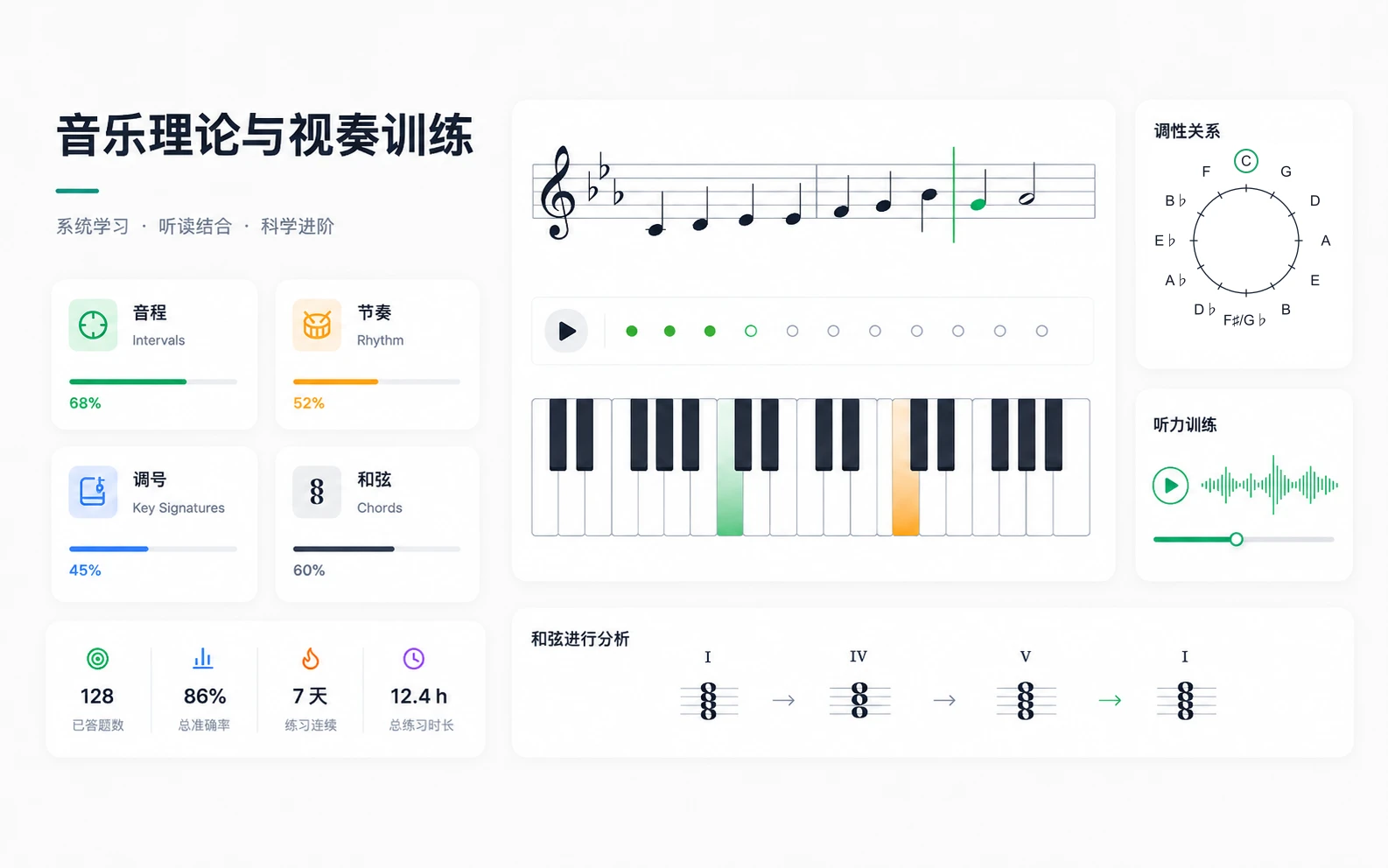
It runs fully in the browser, with practice progress stored locally and no server-side session.
Content Scope
| Area | Modules |
|---|---|
| Fundamentals | Sight-reading and note recognition, intervals, rhythm and meter, key signatures, music terms |
| Harmony | Chords, minor-key systems, advanced harmony, reharmonization, figured bass, voice leading, modes, modulation, SATB writing, jazz theory |
| Analysis and Composition | Composition theory, phrase structure, stylistic idioms, counterpoint, form analysis, 12-bar blues, set theory |
| Listening and Practice | Continuous sight-reading, ear training, harmonic dictation, solfege, transposition, orchestration, score reading |
| Acoustics and Performance | Tuning systems, extended techniques, conducting diagrams |
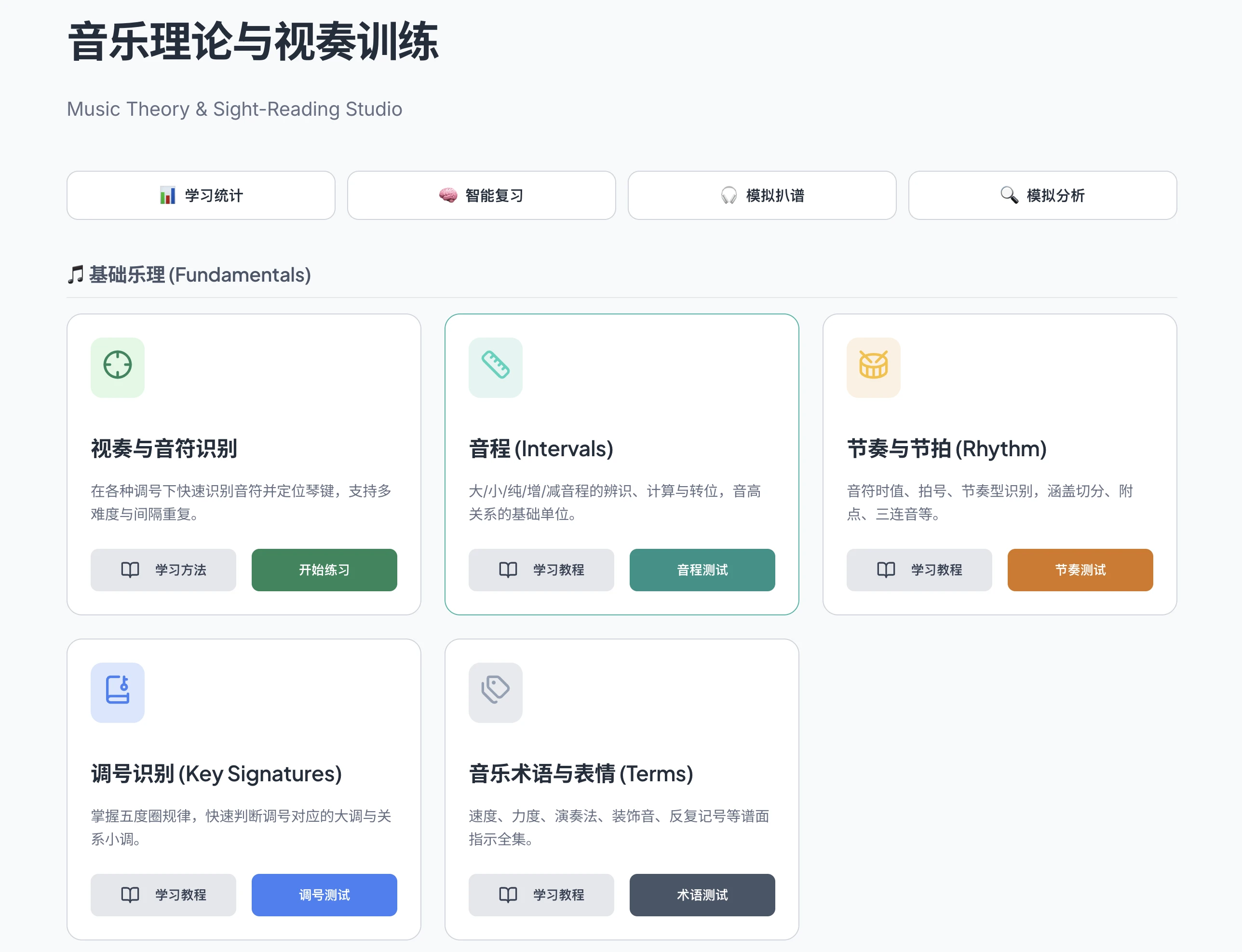
The home screen currently provides 32 topic modules, plus entries for learning stats, smart review, simulated transcription, and simulated analysis.
Learning Flow And Screens
Home: Modules By Knowledge Area
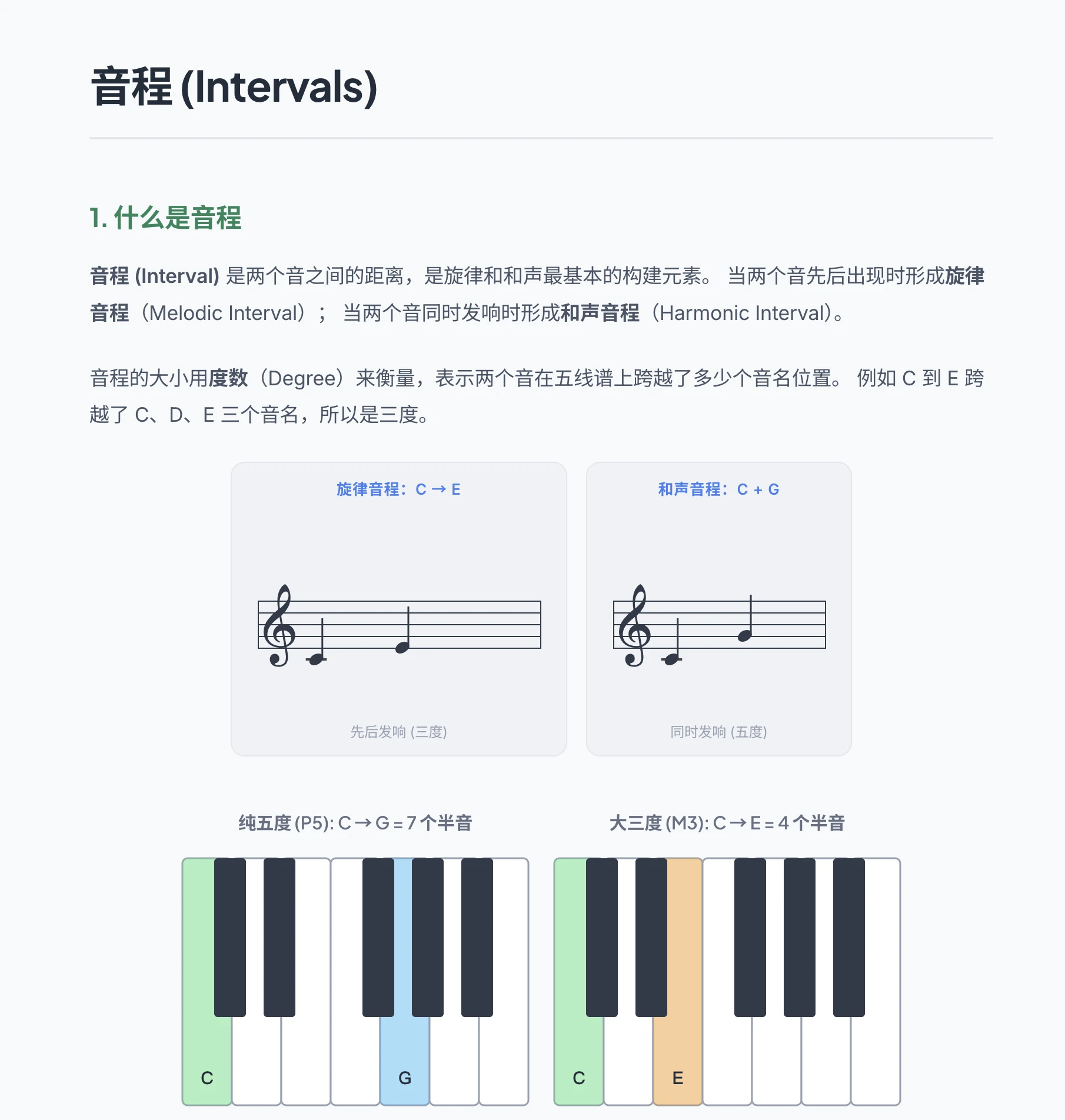
Lessons: Concepts Before Examples
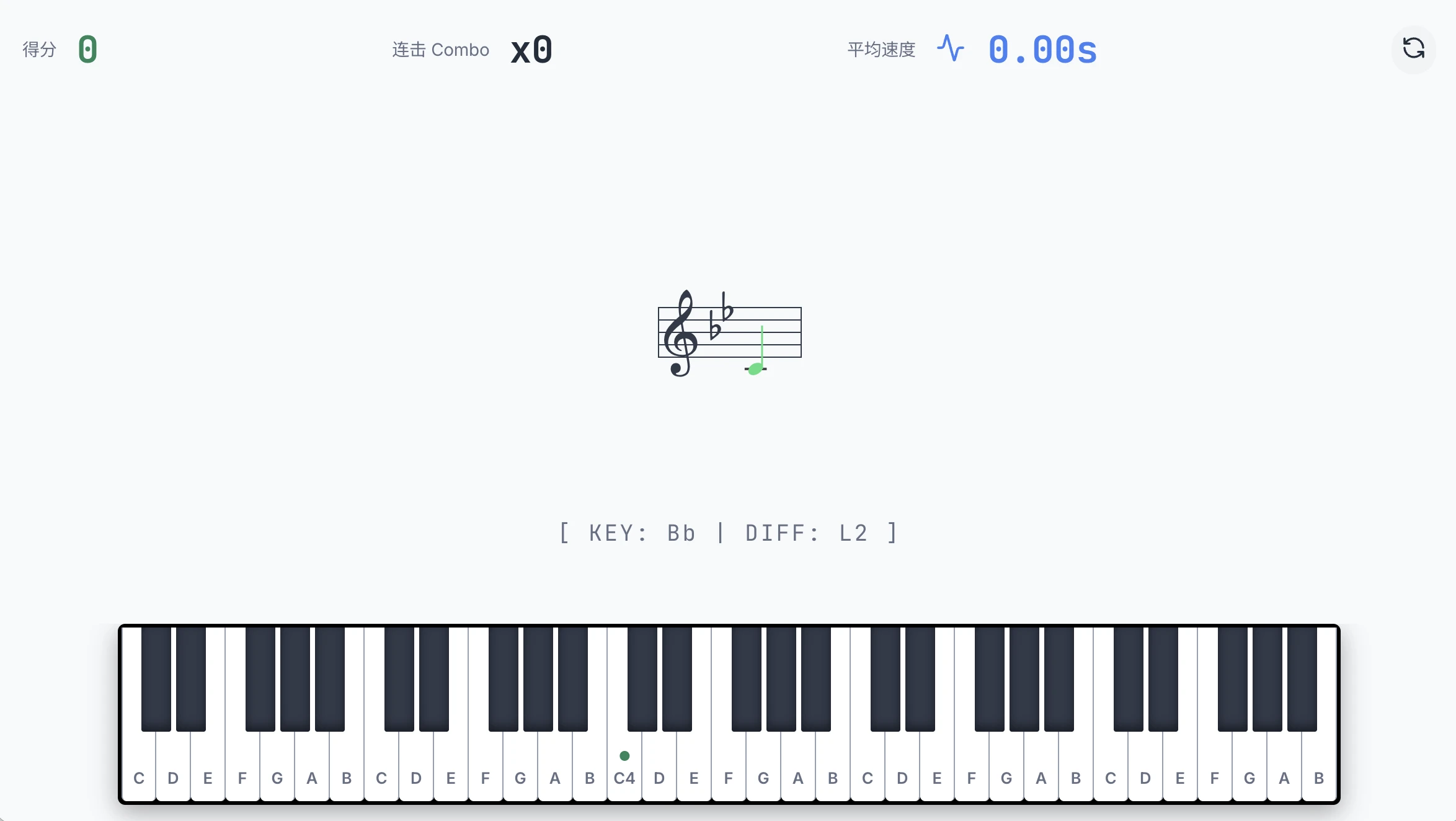
Drills: Immediate Feedback
Progress: Review State And Coverage

Core Learning Loop
- Lessons: each topic provides concepts, rules, notation examples, or diagrams.
- Focused drills: exercises are generated around one knowledge point for repeated practice.
- Sight-reading and keyboard practice: staff notation and a virtual piano support note recognition and location.
- Ear training: browser audio playback powers interval, chord, and dictation-style practice.
- Smart review: local practice history prioritizes weaker topics.
- Integrated application: simulated transcription and analysis combine listening, tonal judgment, harmonic labeling, and form recognition.
Notes
Music Workbook is a backend-free React single-page app. Practice data and review records are stored in browser localStorage, so the workbook can keep expanding module by module without changing its static hosting model.