
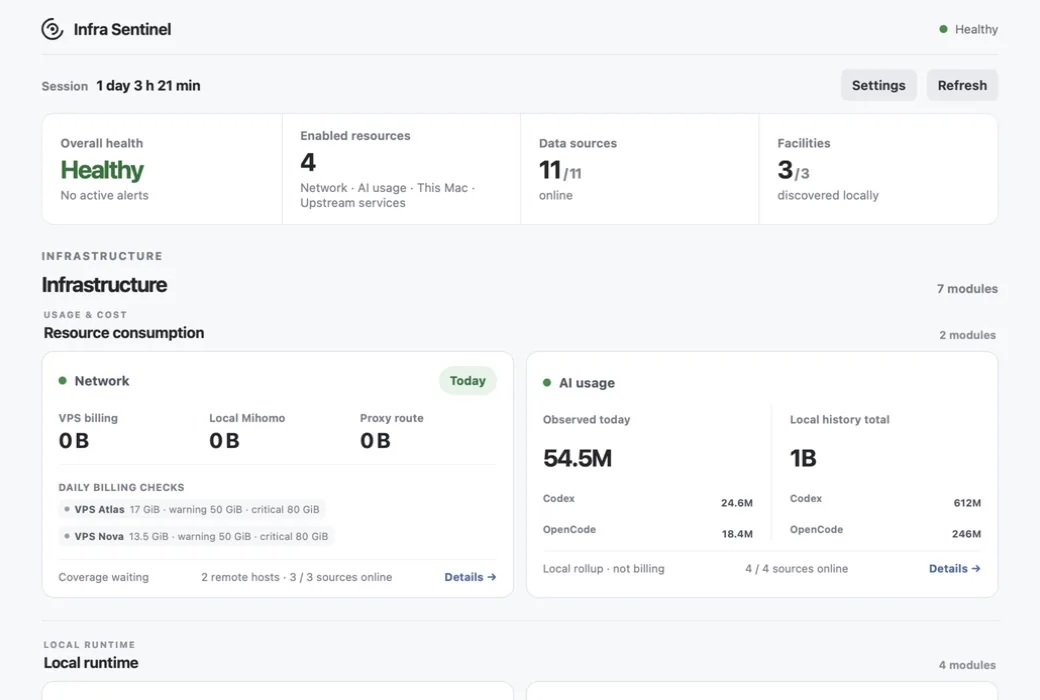
Infra Sentinel is a macOS desktop monitor for network traffic, local AI-client usage, host resources, remote hosts, and service status. Each source keeps its own units and accounting method.
Supported sources
AI usage accounting
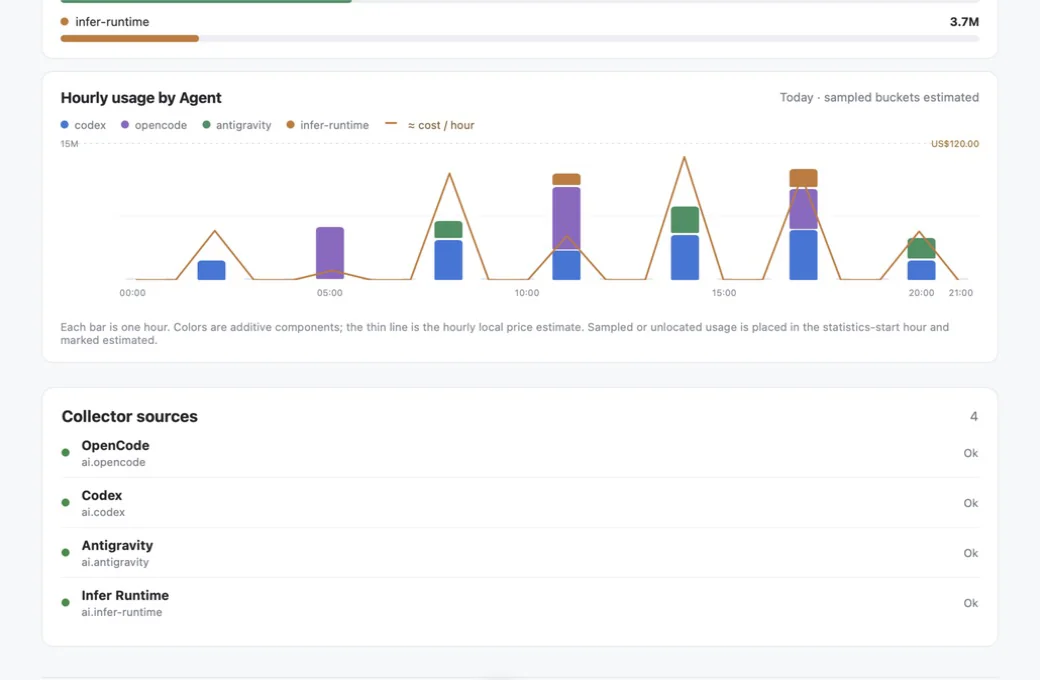
Codex usage comes from per-request increments in local rollout JSONL, with fork replay and duplicate records removed. The persistent ledger stores aggregate usage, parser state, and deduplication markers, but no task content.
Charts show raw Tokens observed on this machine, not Codex account quota or billing. API reference value is calculated from model-specific input, cached-input, cache-write, and output prices.
Data and boundaries
Collection is read-only. Infra Sentinel does not capture packets or retain prompts, responses, project files, or credentials, and it does not change proxy or remote-service configuration. Remote hosts are identified by existing SSH aliases; keys, passwords, and HostName values are not copied.
The current desktop package supports macOS 13+, uses ad-hoc signing, and is not notarized by Apple. Collection, storage, and analysis stay local by default. Stored state may include aggregate domains, model names, Xray client labels, and user-defined display names.